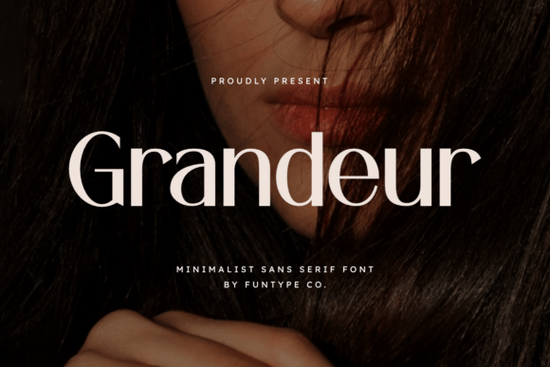
If you're looking for a bold, clean sans serif font that works well for luxury branding, fashion logos, or standout digital posters, Grandeur Font is a strong, practical choice. It’s not overly decorative instead, it leans into simplicity with confident proportions, tight spacing, and a solid, grounded structure. That makes it especially useful when you need clarity and impact without visual noise. Whether you’re designing a boutique clothing label, a minimalist product package, or a social media ad for a small business, Grandeur delivers consistency and polish across print and screen.
Who uses Grandeur Font and why?
Designers building brand identities for lifestyle or wellness brands often reach for fonts like Grandeur because they communicate calm authority. Print-on-demand sellers use it for t-shirt graphics and wall art where readability at scale matters. Small business owners choosing fonts for their website headers or business cards appreciate how little effort it takes to look intentional and refined. Even crafters making custom vinyl decals or sublimation mugs find it reliable: the letterforms hold up well in cutting software and don’t get lost in small sizes.
It’s also compatible with most tools you’ll get both OTF and TTF files, so whether you’re using Canva, Adobe Illustrator, Cricut Design Space, or Affinity Designer, installation is straightforward. No extra converters or workarounds needed.
How does Grandeur compare to other minimalist sans serifs?
Unlike some ultra-thin or geometric sans serifs, Grandeur avoids extreme contrast or quirky terminals. Its strokes are even, its x-height generous, and its lowercase ‘a’ and ‘g’ stay familiar not experimental. That helps maintain legibility in real-world use, especially on lower-resolution screens or printed materials with tighter margins.
You might already know Bisked, which offers a friendlier, slightly rounded alternative if you want warmth alongside minimalism. Or Balimo, which adds subtle personality while keeping things clean great for creative studios wanting distinction without sacrificing professionalism. If you’ve used Helvetica before, you’ll notice Grandeur shares its functional DNA but with more presence: bolder weight options, tighter kerning by default, and a less rigid rhythm.
For designers who like to mix fonts thoughtfully, pairing Grandeur with a soft serif (like Playfair Display) or a gentle handwritten style (like Agootack) creates nice visual hierarchy. Speaking of which Agootack is worth checking if your project needs contrast between headline strength and body-text approachability.
Where does Grandeur fit in real design workflows?
It shines where space is limited and attention is scarce: Instagram story headers, packaging front panels, signage for pop-up shops, or email subject lines rendered as text-based graphics. Because it’s built for precision, it scales cleanly from 12 pt captions to 200 pt banners no blurring, no awkward thinning.
We’ve seen small businesses use Grandeur successfully for:
- Logo lockups where the name itself is the hero (no icon needed)
- Minimalist product labels for candles, skincare, or stationery
- Digital ads with short copy think “Slow Living” or “Handmade Daily”
- Subtle watermark text on photography portfolios
One thing to keep in mind: Grandeur isn’t meant for long paragraphs. Its strength lies in brevity and emphasis. For body copy, pair it with something more open and airy like Lato or Inter or explore other versatile options such as Helvetica if you prefer a classic neutral base.
A note on licensing and usage
The Creative Fabrica license covers personal and commercial use, including physical products like mugs, apparel, and stickers no extra fees or attribution required. You can use it in client work too, as long as you’re not reselling the font file itself. Always double-check the current license terms on the product page, since policies can change.
If you'd like to see how Grandeur looks alongside other trending sans serifs, you can preview it live on Creative Fabrica’s site they offer a handy font comparison tool. And if you're curious about how it stacks up against industry standards, Grandeur Font has real user reviews and sample mockups you can browse before downloading.
Before you download: Try typing your brand name or tagline in a free font tester (like Font Squirrel’s generator or Google Fonts’ preview tool) using Grandeur’s weight and size. See how it feels next to your existing palette sometimes the best test isn’t aesthetics alone, but whether it works in context.
Get Started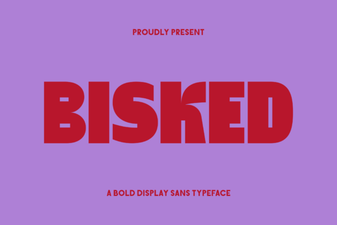 Bisked Font: Crafting a Creative Brand Identity
 Rounded Sans Font Bundle for Modern Projects
 Pretzel Font Design Ideas & Download Guide
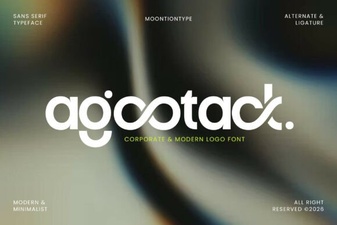 Agootack Font: Creative Projects and Uses
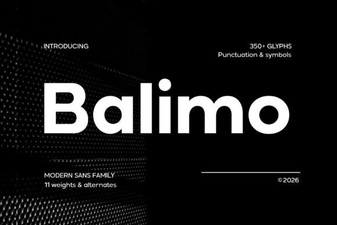 Balimo Font for Modern Web Design Projects
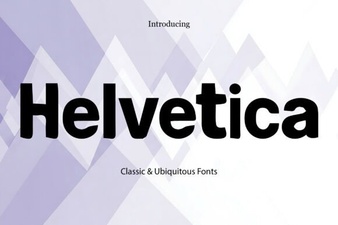 Helvetica Font: the Ultimate Designer's Toolkit