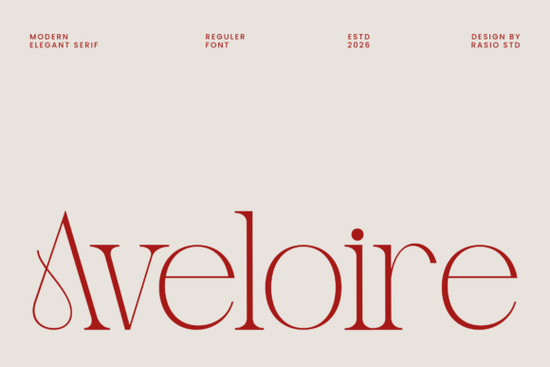
If you're looking for a modern serif font that feels both timeless and fresh something that works just as well on a boutique wedding invitation as it does in a high-end fashion magazine headline you’ll want to take a closer look at Aveloire Font. It’s not overly ornate, nor is it minimalist to the point of feeling cold. Instead, Aveloire strikes a quiet balance: refined proportions, gentle stroke contrast, and letterforms that carry subtle curves and thoughtful terminals. It’s the kind of typeface that adds polish without shouting for attention ideal if your work leans toward elegance, clarity, and intention.
When does Aveloire fit best?
Aveloire shines in contexts where tone and texture matter as much as readability. Think luxury branding for small-batch skincare lines, editorial layouts for indie print magazines, or even premium digital ads for artisanal home goods. Its structure supports hierarchy headlines feel authoritative but never stiff, and body text (when used at appropriate sizes) remains legible and graceful. It’s especially effective when paired with clean sans-serif companions for contrast, or layered with soft watercolor textures in printable art or social media graphics.
Because it’s a serif font designed with contemporary rhythm in mind, Aveloire avoids the heaviness sometimes found in traditional Didones or the fussiness of high-contrast script hybrids. That makes it more versatile than it first appears not just for “fancy” projects, but for any small business or creator who wants typography that signals care and consistency.
How does it compare to other modern serifs?
Like Biges Font, Aveloire uses contrast to create visual interest but Biges leans bolder and more architectural, while Aveloire breathes more softly. If you’ve used Stanza Font, you’ll notice Aveloire shares its editorial sensibility, though Stanza has slightly more pronounced serifs and a tighter rhythm. For those drawn to delicate, flowing serifs, Zacorsea Font offers a warmer, hand-influenced alternative, whereas Aveloire stays cleanly digital and precise. And if you’re already exploring curated collections, the Aesthetic Elegant Bundle includes Aveloire alongside complementary fonts great for building cohesive brand kits without mixing incompatible styles.
What file formats and features does it include?
Aveloire comes with full Latin character support, standard and discretionary ligatures, stylistic alternates, and multilingual punctuation. You’ll get OTF, TTF, and WOFF files so it works in design apps like Adobe Creative Cloud, Canva (via upload), Cricut Design Space, and web projects. No need to hunt for missing glyphs or awkward spacing fixes: the kerning pairs are thoughtfully tuned, and the OpenType features let you fine-tune details like swash capitals or old-style numerals depending on your layout needs.
It’s also optimized for both screen and print use. That means whether you’re exporting a PDF for a client’s letterpress stationery or embedding text in an Instagram carousel, the weight and spacing hold up reliably. No surprises at 12 pt or 72 pt.
Who is this font really for?
Designers building identity systems for local boutiques or wellness studios will appreciate how easily Aveloire conveys trust and refinement without leaning into cliché luxury tropes. Print-on-demand sellers creating greeting cards, wall art, or planner stickers find it works beautifully at smaller sizes especially when combined with subtle line art or muted palettes. Crafters using cutting machines can layer Aveloire with foil accents or embossed finishes, thanks to its clean outlines and consistent stroke weights. And small business owners managing their own marketing? It’s one less decision to overthink: install it once, use it across logos, email headers, and product tags and keep your visuals feeling unified.
For reference, you can preview Aveloire Font directly on Creative Fabrica, along with real user previews and usage examples.
Getting started practical next steps
- Download Aveloire and test it in a real project even something small, like a mock-up business card or social post.
- Try pairing it with a neutral sans-serif (like Inter or Poppins) for contrast in headings + body text.
- Enable ligatures in your design app to see how “fi”, “fl”, and “ff” flow more naturally.
- If you’re using it for branding, export a few variations (light, regular, bold) and test them across light/dark backgrounds.
- Check licensing: Aveloire includes commercial use rights, so it’s safe for client work, POD shops, and digital products as long as you follow Creative Fabrica’s standard license terms.
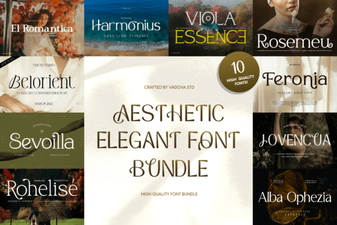 Elegant Font Bundles for Your Design Projects
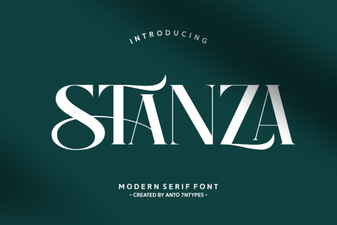 Stanza Font: Typography for Modern Design Projects
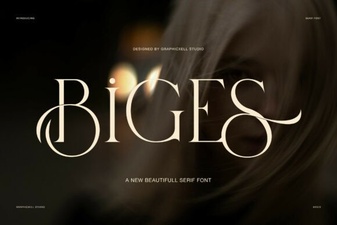 Explore Creative Font Ideas with Biges Font
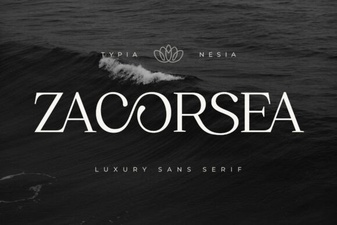 Zacorsea Font: Design with Modern Flexibility
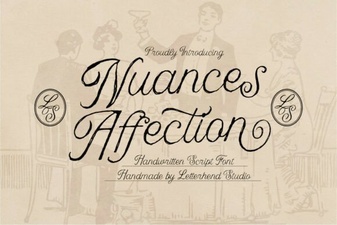 Nuances of Affection in Font Design
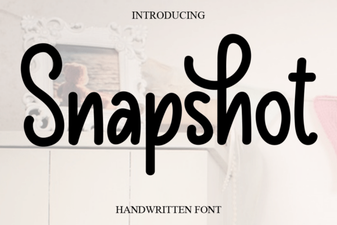 Snapshot Font: Creative Typography for Unique Designs