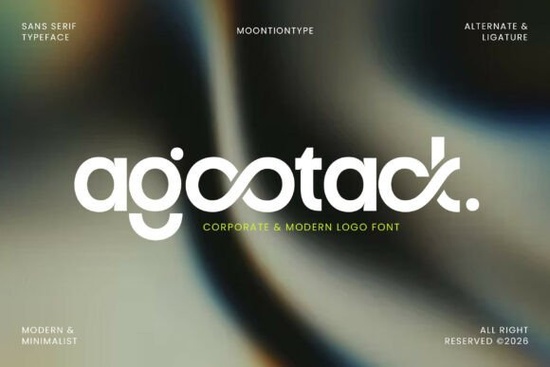
If you're looking for a clean, modern sans serif font that works just as well on a business card as it does in a website header, Agootack Font is worth your time. It’s not overly decorative or trendy instead, it balances simplicity with subtle personality, making it a practical choice for designers who need reliability and distinction. Whether you’re building a brand identity for a local café, designing social media assets for a small tech consultancy, or preparing packaging for a print-on-demand shop, Agootack delivers consistent readability and quiet confidence.
What makes Agootack different from other minimalist fonts?
Many sans serifs aim for neutrality but Agootack adds gentle character without sacrificing clarity. Its smooth curves and carefully shaped terminals give it warmth, while its open counters and even spacing ensure legibility at small sizes. Unlike generic system fonts or overused classics like Helvetica, Agootack includes built-in stylistic alternates and ligatures (like “fi”, “fl”, and custom combinations) that let you refine details without switching fonts or manually adjusting glyphs. You’ll notice this especially in logos or short headlines where letterfit and rhythm matter most.
It’s also designed with real-world use in mind: the OTF and TTF files work reliably across Adobe apps, Canva, Figma, and common desktop publishing tools. No surprises when exporting PDFs or prepping files for print vendors something many crafters and small studios appreciate after dealing with broken outlines or missing glyphs.
Where does Agootack fit in your design toolkit?
Think of Agootack as your go-to for projects where professionalism meets approachability. It pairs well with soft photography, muted color palettes, and clean layouts but it doesn’t disappear into the background. You’ll see it shine in:
- Logo design for wellness brands, boutique studios, or SaaS startups
- Editorial layouts for digital newsletters or indie magazines
- Social graphics where clarity matters more than flash (think Instagram carousel text or LinkedIn banners)
- Packaging for eco-friendly or minimalist product lines
- Website typography especially for headings paired with a neutral body font
If you’ve used fonts like Pretzel for playful branding or Rounded Sans Bundle for friendly interfaces, Agootack sits in a slightly more refined space less casual, more intentional. It’s not a replacement for every project, but it fills a specific gap: modern without coldness, distinctive without distraction.
How does it compare to similar fonts on Creative Fabrica?
Compared to Bisked, which leans into geometric precision and strong vertical stress, Agootack feels softer and more humanist. Against Helvetica a reliable standard Agootack offers more visual interest in display settings while staying equally readable in UI or body copy. And unlike some ultra-thin minimalist fonts, Agootack includes robust weight options (though currently offered as a single style, it’s optimized for versatility across sizes).
You might also consider pairing it with complementary typefaces depending on context. For example, use Agootack for headlines and Agootack’s clean structure holds up next to a warm serif for body text or layer it with a subtle handwritten font for contrast in invitation suites or artisan packaging.
For reference, you can view the full preview and licensing details directly on Creative Fabrica: Agootack Font.
Who’s using Agootack right now?
We’ve seen small business owners use it for Shopify store headers and email headers especially those selling home goods, skincare, or digital tools. Print-on-demand sellers apply it to minimalist t-shirt designs and sticker sheets where subtlety reads as sophistication. Designers working with clients in architecture, consulting, or education find it bridges the gap between trustworthy and forward-looking.
One thing users consistently mention: it scales well. A logo set in Agootack looks sharp on a favicon, a storefront sign, and a PDF pitch deck no redrawn versions needed.
Before you download:
- Check your software supports OpenType features (ligatures and alternates appear automatically in apps like Illustrator or Affinity Designer)
- Test it at actual usage sizes especially if planning for embroidery or vinyl cutting, where fine details may need simplification
- Review the license: personal and commercial use are covered, including POD, but redistribution or font editing isn’t permitted
- Try pairing it with a neutral body font first avoid stacking two highly styled sans serifs
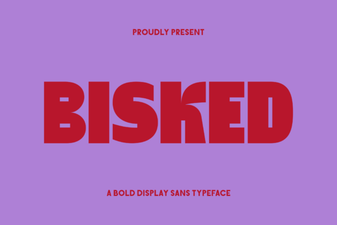 Bisked Font: Crafting a Creative Brand Identity
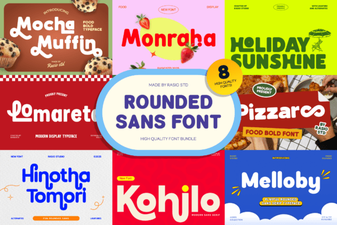 Rounded Sans Font Bundle for Modern Projects
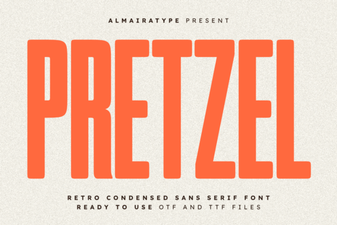 Pretzel Font Design Ideas & Download Guide
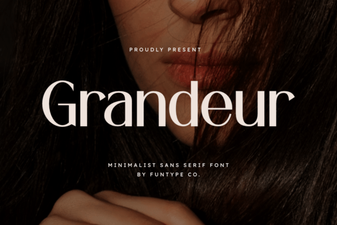 Grandeur Font: Elegant Designs & Creative Applications
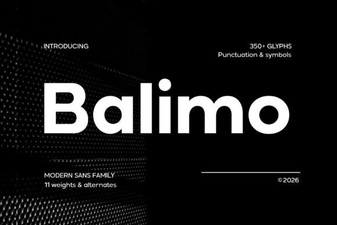 Balimo Font for Modern Web Design Projects
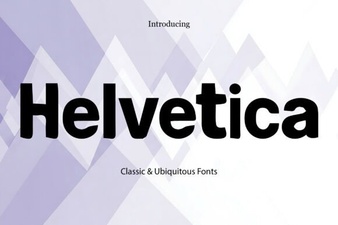 Helvetica Font: the Ultimate Designer's Toolkit